Engineering notes from a personal hobby project. Validation results are drawn from project documentation; hardware status is stated below.

From HDMI symbols to pixels
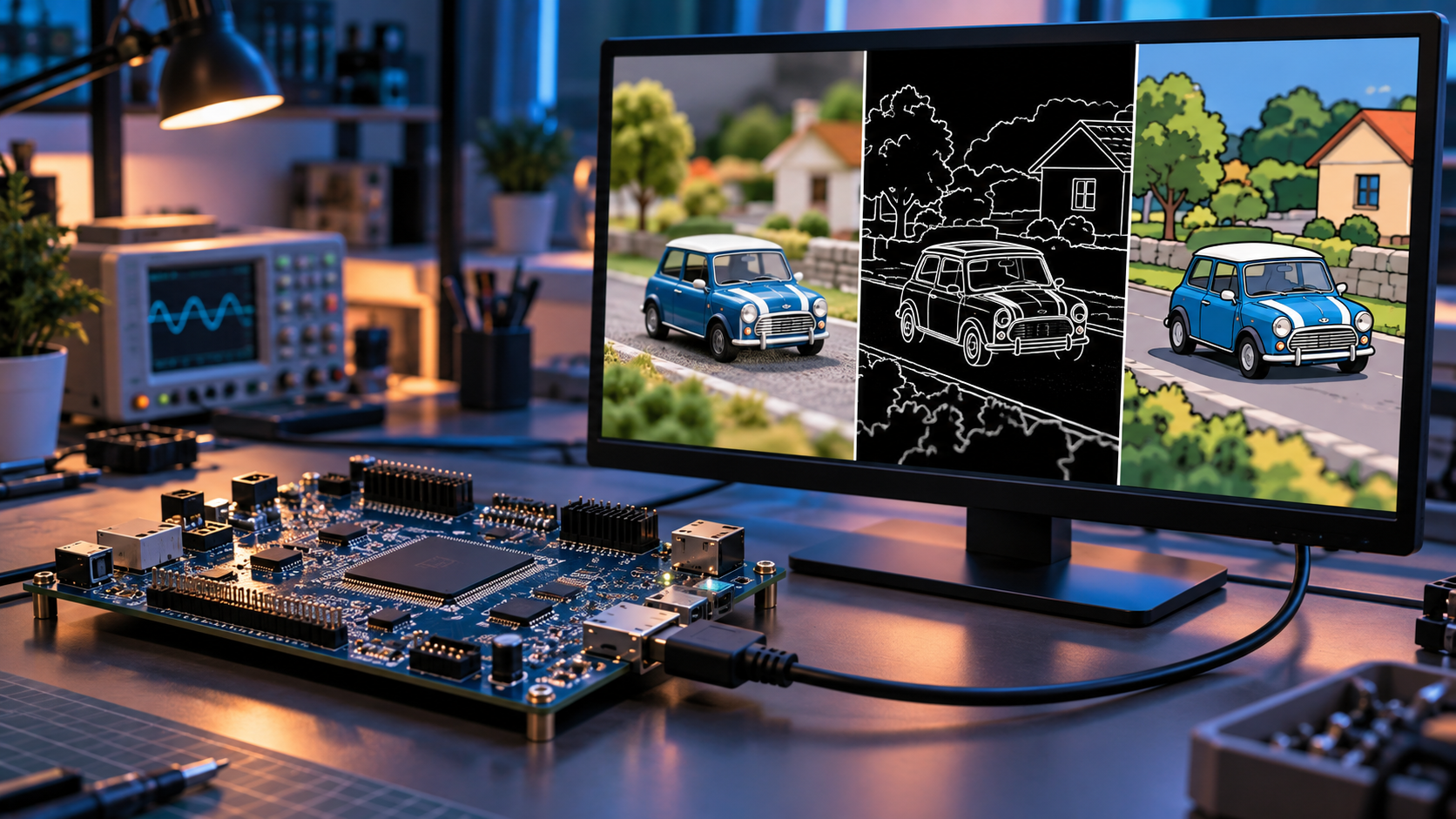
The documented PYNQ-Z2 design receives HDMI/DVI video and processes it entirely in VHDL. Its configured input modes are 720p60 and 1080p30, both using a 74.25 MHz pixel clock. Input serializers capture the TMDS lanes, a word aligner establishes symbol boundaries, and decoding produces RGB pixels together with horizontal sync, vertical sync, and data enable. The output side encodes and serializes the processed stream for HDMI OUT.
Choose the image, then apply corrections
The first selection is between passthrough, Sobel edges, temporal motion detection, and cartoon styling. Motion detection takes priority when both selection switches are on; the cartoon button overrides the switches. Independent buttons then control gamma correction, histogram equalization, and sepia. Button presses are synchronized and debounced for 10 ms, and mode changes are latched at a vertical-sync transition during blanking. That makes control changes a deliberate part of the video pipeline.
Memory is an architectural choice
Sobel computes a 3 × 3 neighborhood using two stored image lines. Cartoon styling uses one previous luma line to find edges while reducing each RGB channel to eight levels. Motion detection needs information from the previous frame, so its memory demand is larger. This implementation stores every eighth active line and repeats the resulting mask across intervening lines to fit on-chip memory. The tradeoff is reduced vertical detail in the motion mask.
Pixels and timing travel together
Each processing stage must preserve the relationship between a pixel and its sync signals. Gamma adds one registered stage, histogram equalization adds another, and sepia adds three. Bypassed modes retain the corresponding stage delays. The histogram stage builds new lookup tables during blanking from the preceding frame’s channel distributions and switches banks atomically. It therefore adapts one frame later and can shift colors because R, G, and B are equalized independently.
Know the boundary of the implementation
This is a fixed-mode video pipeline. It does not implement HDMI audio, HDCP, 1080p60, frame-rate conversion, or general color-space conversion. The README describes the implementation and build procedure, but does not provide a completed hardware validation record. A useful next demonstration is the same unprotected video source shown through bypass and each filter, with supported resolution settings recorded. The first frame of motion detection also needs time to populate its previous-frame buffer before its output becomes meaningful.
HDMI video processing and raw-camera processing
This project receives an existing video stream directly from an HDMI source, such as a computer’s HDMI output, and sends the processed video to a connected screen or monitor. The incoming stream is decoded into RGB pixels for filtering; the project does not acquire raw image data from a camera sensor.
A raw-camera system has different processing requirements. Its pipeline must account for the sensor’s output format and reconstruct and process the image as required by the application. For example, raw Bayer color data requires demosaicing to reconstruct full-color pixels. Other stages, such as black-level correction, defective-pixel correction, noise reduction, white balance, color correction, and tone mapping, are selected and arranged according to the sensor, image-quality targets, and the project’s latency, throughput, and resource requirements. There is no single fixed pipeline suitable for every camera application.
The filters demonstrated here operate on decoded HDMI video. They do not represent a complete raw-camera ISP pipeline. See AMD’s demosaicing overview and ISP pipeline documentation for the raw-sensor distinction.
Image Processing Examples
Conceptual examples of image processing effects, rather than measured project results.
Original / Bypass
The reference scene before processing.
Sobel Edge Detection
White outlines illustrate spatial edges in the image.
Cartoon
Reduced color levels with dark outlines.
Gamma Correction
Brighter midtones illustrate the gamma lookup-table effect.
Histogram Equalization
Contrast-enhancement example. In this project, RGB equalization uses the preceding frame’s statistics.
Sepia
A warm color transform applied to the image.
RELATED PROJECT
View the project case study →