What does “simulation passed” mean?
Seeing a testbench finish with no failures is a useful milestone. It means the design behaved as expected for the scenarios that were applied and checked. Before moving on, I ask a simple question: what did this test actually verify?
A passing test might confirm a counter sequence, a FIFO’s ordering, or the output of an image-processing block. It does not automatically confirm every input combination, every reset condition, or every possible interaction with another module.
A test that only generates inputs and ends without assertions may not have checked correctness at all. I want an explicit pass condition, meaningful output checks, and a failure if the expected response never arrives. My article on building a useful VHDL testbench shows a small example.
Keep a record of what was tested
I keep the source revision, test configuration, tool version, and result together. If a test uses random inputs, I also keep the seed. That makes a failure reproducible and prevents an old passing result from being confused with a newer design.
Before calling the simulation complete, I review:
- Normal operation and the expected output values.
- Reset at startup and during activity, where the specification allows it.
- Boundary values, overflow behavior, and buffer full or empty conditions.
- Backpressure, interrupted traffic, and valid/control alignment where relevant.
- Timeouts and error handling.
For a small block, directed tests may cover the important behavior well. For a larger system, I need a coverage plan that links requirements to tests. More simulation time is helpful only if it exercises meaningful cases and checks the results.
What RTL simulation leaves open
In ordinary RTL simulation, I supply models of clocks, inputs, memories, and external devices. Those models simplify the real system. The circuit on the board also depends on physical routing, clock quality, electrical connections, and the behavior of the equipment connected to it.
A simulator can exercise a CDC protocol, but ordinary digital RTL simulation does not reproduce analog metastability or establish synchronizer reliability. Similarly, an ideal interface model cannot prove signal integrity on a cable or connector.
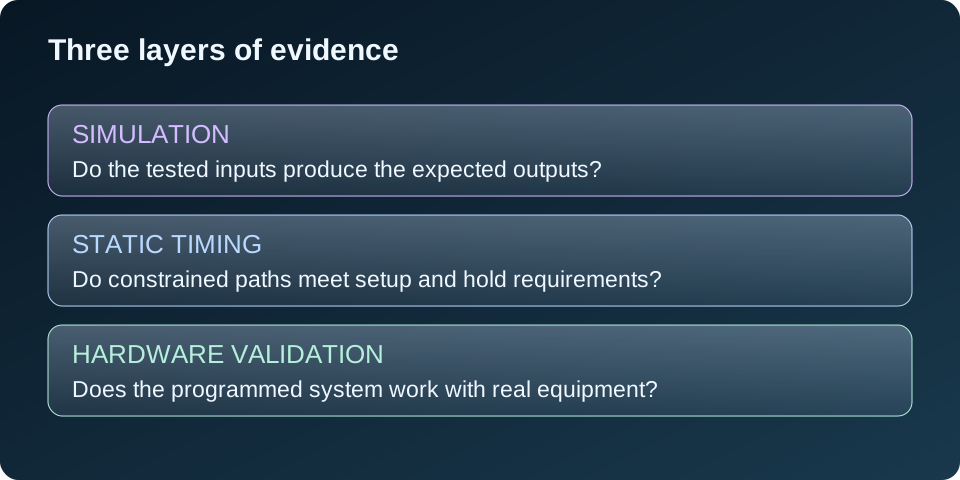
This is why I separate “the tested logic behaves correctly” from “the complete system has been validated on hardware.” Both are useful results, but they support different conclusions.
Review synthesis and implementation
Next, I check what the tools actually built. Synthesis converts the RTL into device resources; implementation places and routes those resources. A successfully generated bitstream is not, by itself, proof that the design meets all its requirements.
I review important warnings and confirm that the intended memories, DSP blocks, and clocking resources were inferred or instantiated correctly. I also look for unintended latches, unexpectedly high resource use, and logic that was removed because it was unused or constant.
Then I review the final routed timing results. Are the clocks and generated clocks defined correctly? Are relevant I/O paths constrained? Do setup and hold pass? Are there unconstrained paths or exceptions that need explanation? A positive slack report is meaningful only when the constraints describe the intended system.
My setup and hold article explains how I approach these reports. CDC and reset-domain crossings also need their own review; treating unrelated clocks as ordinary synchronous paths is not a substitute for a safe crossing design.
Would a timing simulation help?
Post-synthesis or post-implementation simulation can help investigate behavior after the RTL has been mapped into device resources. Where supported, timing simulation adds modeled delays to the implemented netlist.
I use it when it answers a specific question, such as startup behavior or an implementation-related mismatch. It still runs with selected stimulus and models. It does not replace static timing analysis, CDC review, or board measurements. AMD’s Vivado Logic Simulation guide describes the supported simulation stages and their scope.
Start with a small board test
Before programming, I confirm the exact board and device, power arrangement, pin assignments, I/O standards, and required jumper or boot settings. When attaching external hardware, its voltage levels and pin directions must match the board interface.
I avoid making the full application the first diagnostic test. I want a short sequence of checks that narrows down a failure.
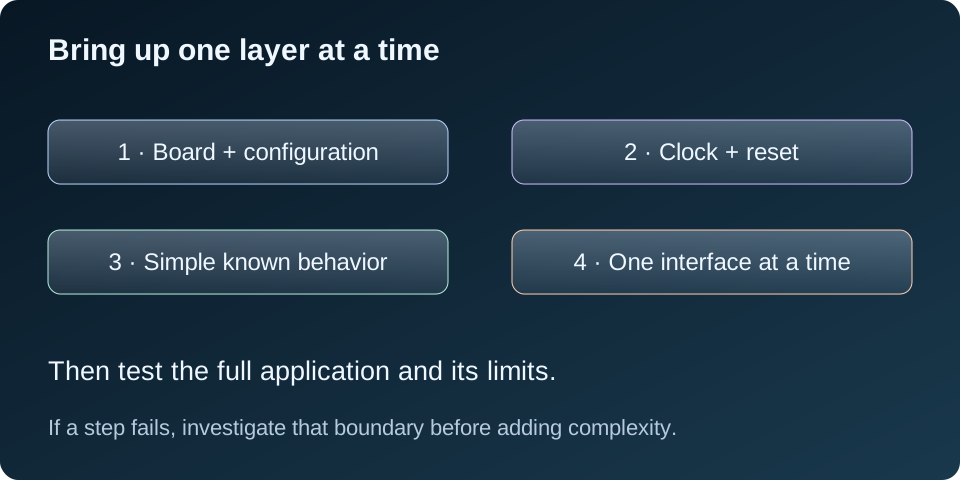
- Confirm programming. Check that the intended device is detected and the intended bitstream is loaded.
- Check clock and reset. Confirm the expected clock source, clock-manager lock where used, and reset release. A known heartbeat output can help show activity, but it is not a precise clock measurement.
- Run a known simple function. Use an LED pattern, a short UART message, or a small internal test appropriate to the board.
- Exercise one interface. Use a known input and check the response before connecting all application stages.
- Run the complete application. Check the actual requirements and record what was observed.
Programming a bitstream does not automatically create a screen display. The design must implement the display output, use the correct pins and clocks, and be connected to compatible equipment.
If it works in simulation but fails on the board
I look for the first place where real behavior differs from the expectation. That might be a missing clock, a reset held active, a pin assignment, an interface configuration, or a logic assumption that the testbench did not exercise.
An Integrated Logic Analyzer, or ILA, can capture selected internal signals. I choose probes that answer a question: did a request arrive, did valid assert, did a buffer fill, or did a state machine stop progressing? I use a suitable stable sampling clock and check that the captured signals can be interpreted safely in that domain.
An ILA samples digital values inside the device. It cannot replace an oscilloscope for checking voltage levels or signal quality at a connector. It also consumes FPGA resources and can change placement and routing, so I recheck timing after adding debug logic. AMD’s Programming and Debugging guide explains the hardware debug flow.
Once I understand a functional failure, I try to reproduce it in simulation and keep it as a regression test. That turns a board discovery into a repeatable check.
Example: an audio spectrum project
For an audio spectrum visualizer, simulation can check sample handling, FFT input/output behavior against reference values, frequency-bin mapping, and display logic. Those are important parts of the design.
On the board, I still need to confirm codec configuration, audio clocks, channel order, input levels, and the HDMI output. A known tone can help check whether energy appears near the expected FFT bin. I would also check silence, different frequencies, clipping behavior, and operation over a longer run.
A recognizable spectrum on screen is a useful functional result. It is not automatically a calibrated amplitude measurement or proof of every operating condition. Any claim about latency, frequency accuracy, or amplitude needs a defined method and recorded results.
For my Audio Spectrum Visualizer, the documented simulation and build results remain separate from hardware validation, which is still pending. The checks above describe the next validation steps rather than completed measurements.
Describe the result precisely
I prefer a short, specific validation note to a broad “works” statement. For example:
RTL simulation passed the defined functional tests. The implemented design meets the reviewed timing constraints. Hardware validation remains pending.
After board testing, I would add the board revision, clock configuration, tested functions, equipment used, and observed results. If only part of the system was checked, I say which part. If timing or hardware testing has not been completed, that stays visible.
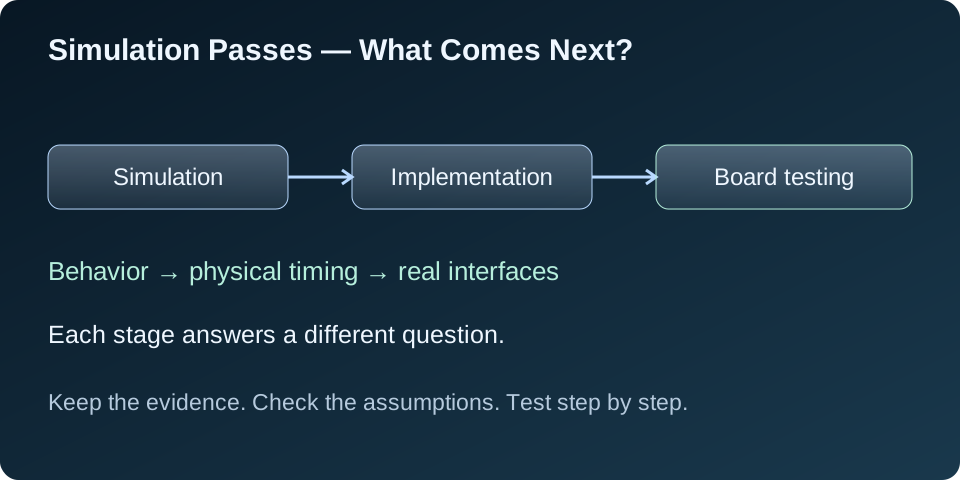
Simulation gives me evidence about behavior. Timing analysis checks the physical timing requirements under the supplied constraints. Board testing checks the real system. Keeping those results separate makes the engineering progress easier to understand and the remaining work easier to plan.