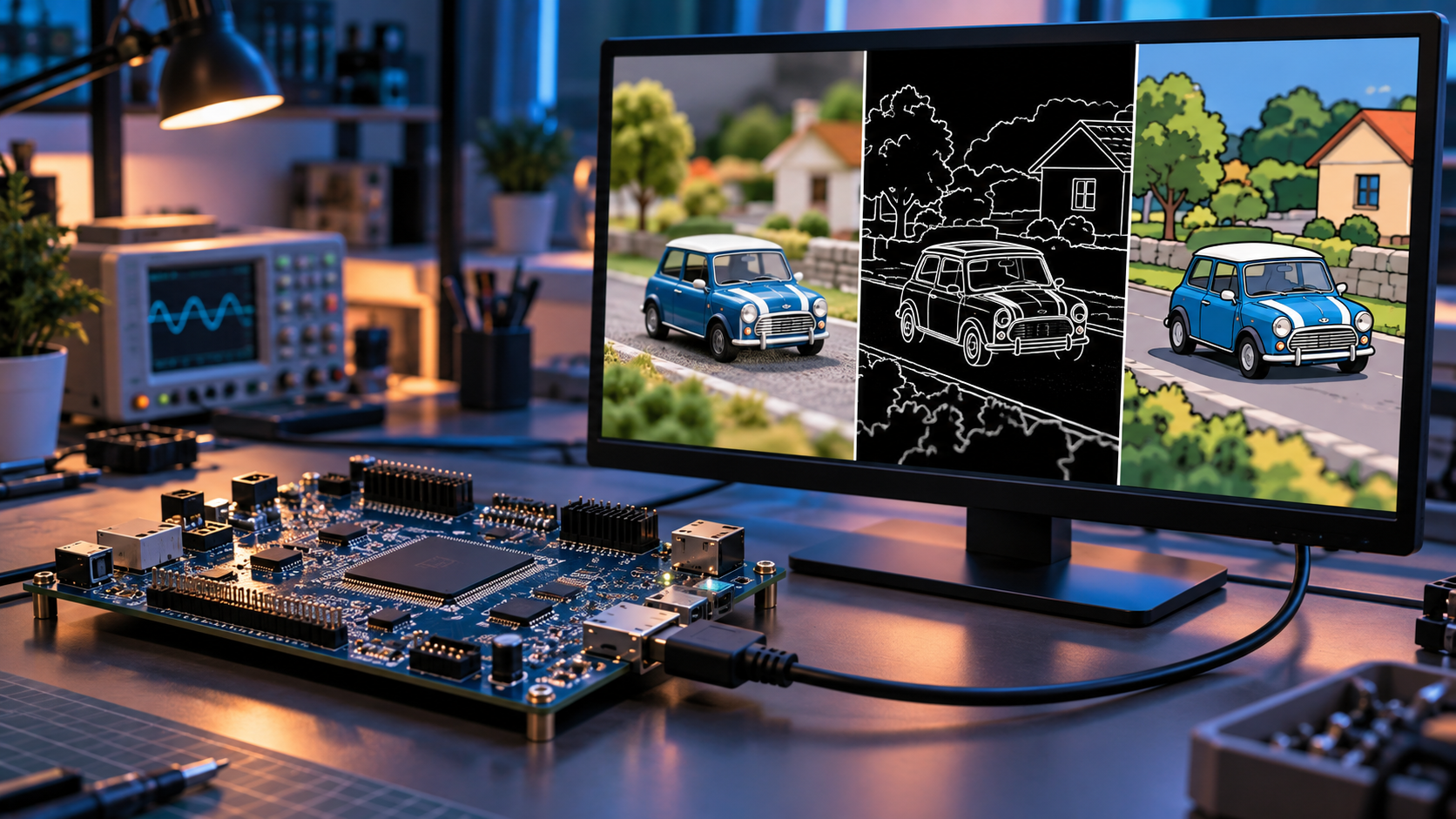

Read the engineering article →
Project demonstration
Watch the yellow car scene cycle through the image-processing examples, with an automatic before-and-after comparison.
Browser demonstration with synthetic inputs; not a recording of FPGA hardware.
Project overview
A hobby project exploring video processing directly in programmable logic. The documented design receives HDMI video, decodes it to a pixel stream, applies selectable filters, and transmits the processed result through HDMI OUT, without a software application.
Key features
- Configured for 720p60 and 1080p30 with a 74.25 MHz pixel clock.
- Sobel edges, temporal motion detection, and a cartoon filter selected using onboard controls.
- Independent gamma correction, histogram equalization, and sepia stages.
IMAGE PROCESSING GUIDE
Image Processing Techniques at a Glance
Conceptual examples showing how each technique changes the same scene. These illustrations explain the processing effects; they are not measured project results.
Original / Bypass
The reference scene before processing.
Sobel Edge Detection
White outlines illustrate spatial edges in the image.
Cartoon
Reduced color levels with dark outlines.
Gamma Correction
Brighter midtones illustrate the gamma lookup-table effect.
Histogram Equalization
Contrast-enhancement example. In this project, RGB equalization uses the preceding frame’s statistics.
Sepia
A warm color transform applied to the image.
Second Input Frame
The car changes position while the background stays fixed.
Motion Detection
Conceptual difference mask between the two frames. The project samples every eighth line.
Compare the original scene with the second frame to see the car’s movement, then view the conceptual motion mask.
High-level architecture
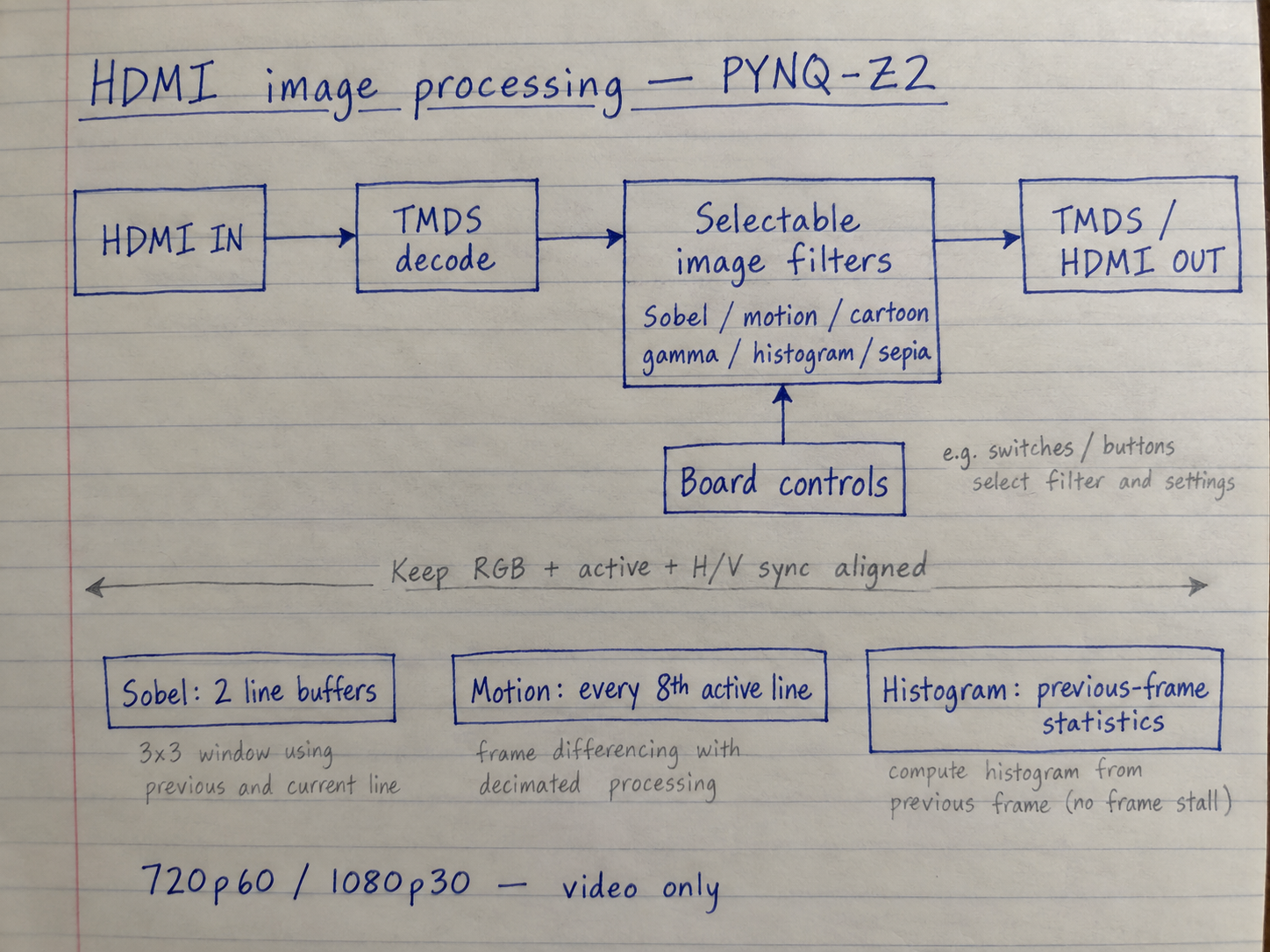
Notebook architecture
Engineering challenges
Keeping pixels and sync signals aligned through filters with different delays is central to this pipeline. Sobel uses two line buffers; motion detection samples every eighth active line to fit its previous-frame data in on-chip memory. Histogram equalization uses the preceding frame’s statistics and switches lookup tables during blanking.
Validation & current status
The README documents the implemented pipeline, supported modes, and build/program procedure. It does not provide a completed hardware validation record or measured utilization and timing results, so those outcomes are not claimed here.
HDMI video processing and raw-camera processing
This project receives an existing video stream directly from an HDMI source, such as a computer’s HDMI output, and sends the processed video to a connected screen or monitor. The incoming stream is decoded into RGB pixels for filtering; the project does not acquire raw image data from a camera sensor.
A raw-camera system has different processing requirements. Its pipeline must account for the sensor’s output format and reconstruct and process the image as required by the application. For example, raw Bayer color data requires demosaicing to reconstruct full-color pixels. Other stages, such as black-level correction, defective-pixel correction, noise reduction, white balance, color correction, and tone mapping, are selected and arranged according to the sensor, image-quality targets, and the project’s latency, throughput, and resource requirements. There is no single fixed pipeline suitable for every camera application.
The filters demonstrated here operate on decoded HDMI video. They do not represent a complete raw-camera ISP pipeline. See AMD’s demosaicing overview and ISP pipeline documentation for the raw-sensor distinction.
Scope & limitations
Video only: HDMI audio, HDCP, 1080p60, and general format conversion are outside the documented implementation.